UInjectForge
Welcome to UInjectForge!
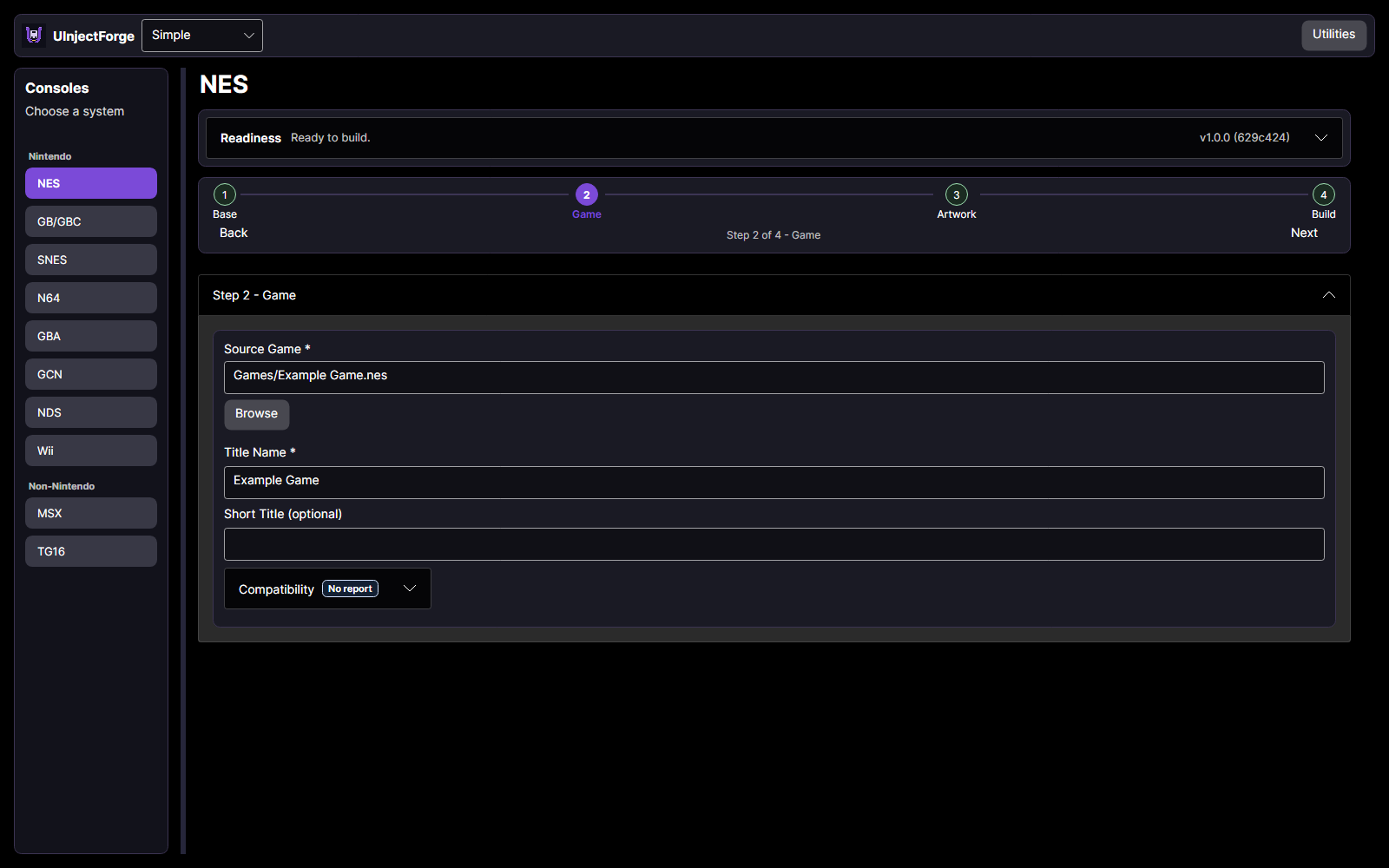
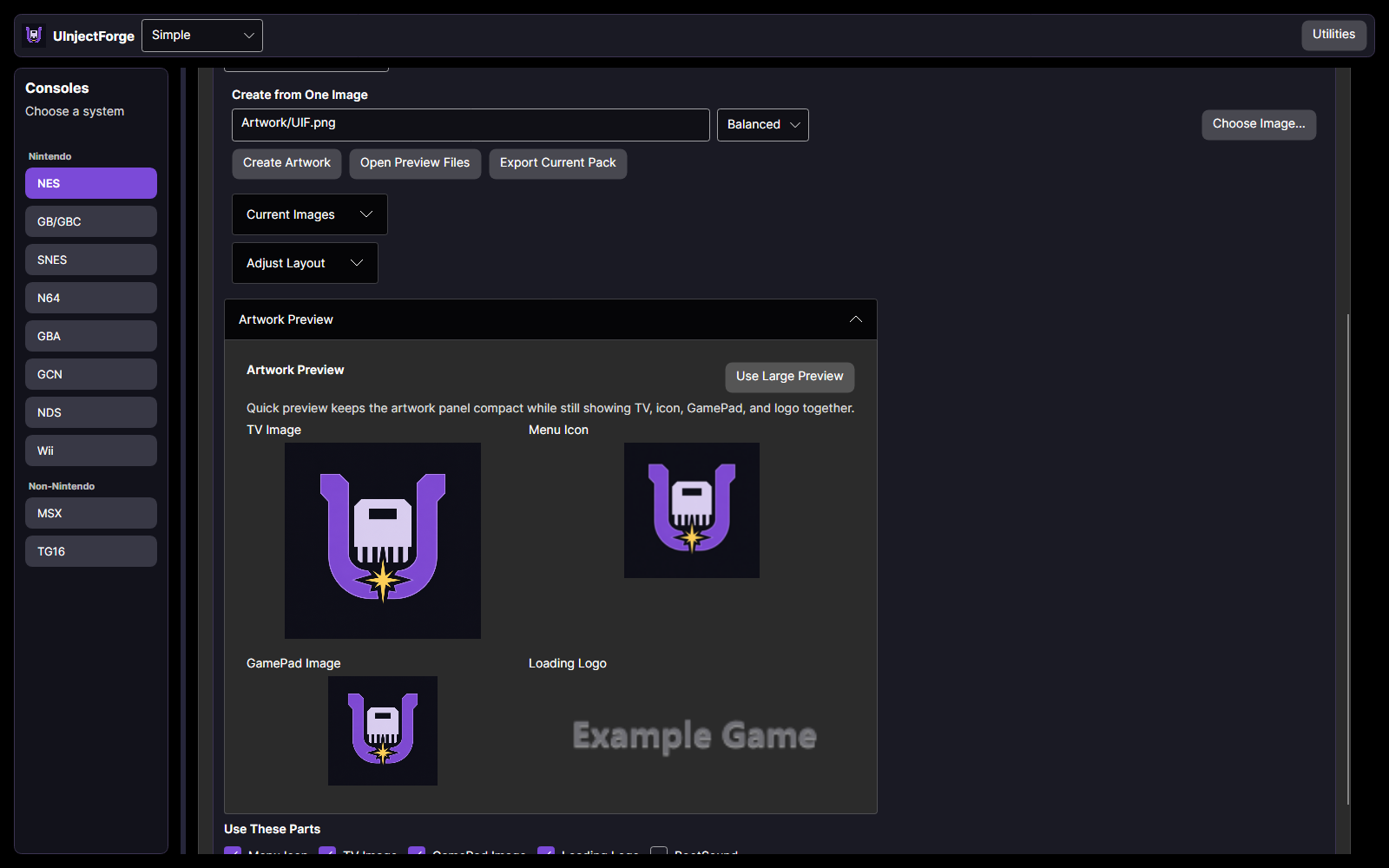
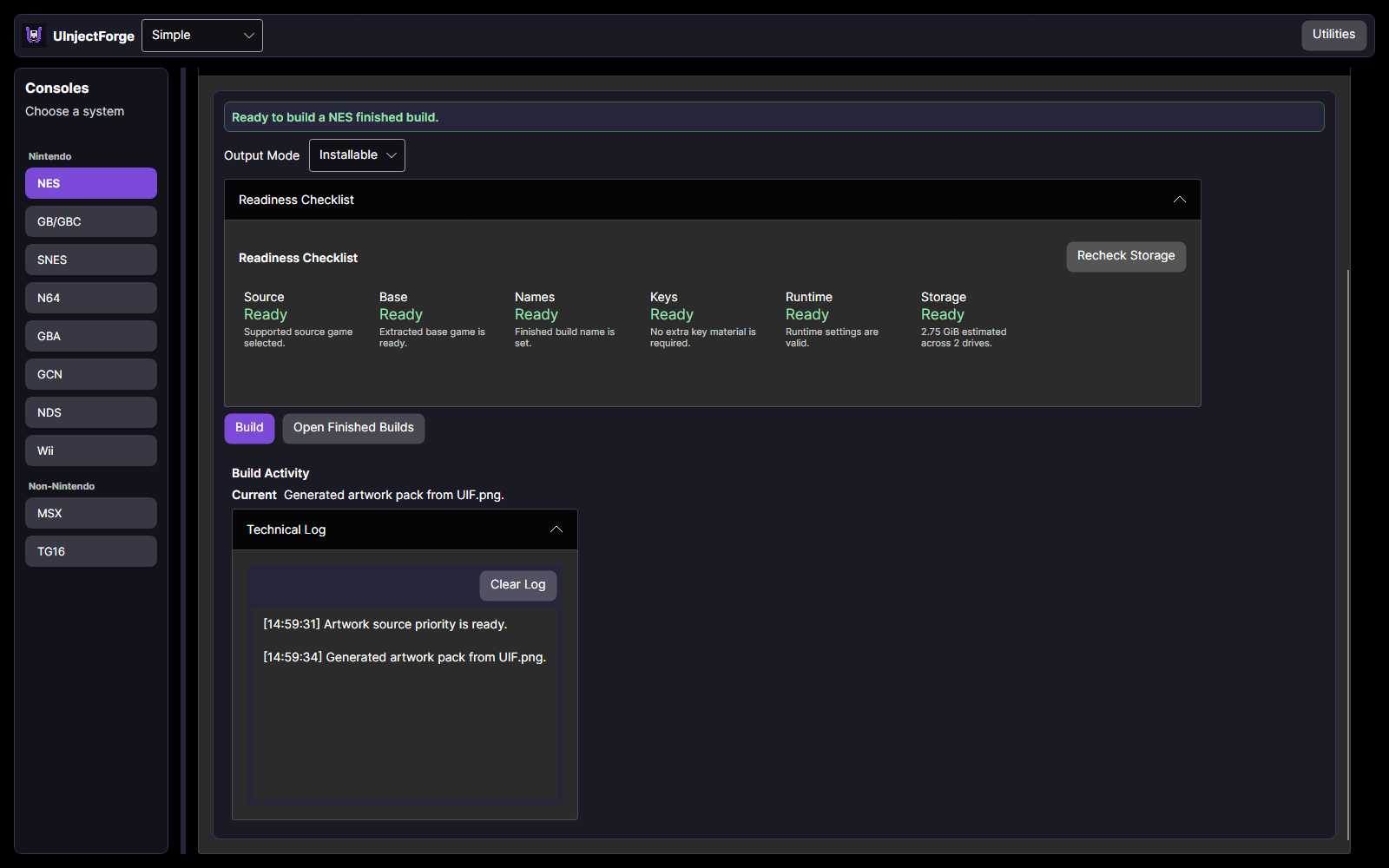
Introducing UInjectForge: A New Wii U Inject Builder
UInjectForge is my new application for creating personalized Wii U installable titles from your own game backups. It brings game preparation, artwork, runtime settings, building, and transfer tools into one workflow. If you arrived here expecting ZestyTS' UWUVCI, you're in the right place. This page now hosts UInjectForge.
Previously purchased ZestyTS' UWUVCI? Your purchase carries over to UInjectForge at no additional cost. You do not need to buy it again.
What Is UInjectForge?
Choose your console, provide your game and the required base or runtime, customize the artwork and settings, and build your title. UIF includes workflows for NES, SNES, GB/GBC, GBA, N64, NDS, GCN, Wii, TurboGrafx-16/PC Engine, and MSX. Requirements vary by system: some use compatible Virtual Console bases, while others need a separate homebrew runtime.
This is a new application, not another UWUVCI update or simply a new name for my old fork.
Why Build Something New?
After about six years maintaining UWUVCI, I wanted to take what I learned and build a different foundation. The goal wasn't just to change how the application looks, but to improve the process around making an inject.
- Native desktop builds: UIF runs directly on Windows and Linux. The Linux version does not wrap the Windows application in a compatibility layer.
- A clearer workflow: Base/Runtime, Game, Artwork, and Build organize the process. Simple mode keeps everyday options accessible; Advanced mode provides additional control.
- Less file preparation: UIF accepts supported compressed game archives directly and handles split Wii WBFS files together when all parts are present.
- Built-in processing and packaging: Core disc processing and installable-package creation use UIF's own tooling, giving me more direct control over investigating and fixing those parts of the process.
- Storage and performance controls: Choose where files are stored, check available space before building, and adjust performance settings to suit your machine.
- Batch builds and delivery tools: Queue multiple games, follow their progress, and use SD-card copying or network-transfer tools to move finished builds.
- Better troubleshooting information: Input checks, package validation, build-stage reporting, and exportable support bundles help identify where something went wrong.
My UWUVCI fork already improved parts of that experience. UIF takes the ideas further, with less dependence on a Windows-specific setup and a foundation that can support other platforms.
Availability and Expectations
Windows and Linux downloads are available now. macOS is planned next, with Android and iOS versions also in development. If you previously purchased the Mac version of ZestyTS' UWUVCI, your purchase still carries over. However, a macOS build of UIF is not included in this initial release.
Compatibility still depends on the game, base, runtime, and selected settings. Some advanced Wii/controller combinations need further hardware testing. PSP support is experimental and Tiramisu-only, while the separate Assistant and Aroma Bridge remain preview components. Package validation helps catch problems, but it cannot guarantee that every game will run correctly. You need a suitably configured Wii U and your own game files. Games, base titles, and keys are not included.
What's Next?
With V3.N2, I have retired from maintaining UWUVCI. I'm not retiring from Wii U homebrew development: UInjectForge is where I'm taking that work next, which is the secret project I mentioned in the last UWUVCI devlog.
Thank you to UWUVCI's contributors, everyone who supported my fork, and the single tester (you know who you are) who helped UIF reach this point. Take a look at the downloads, try it with your library, and share what works well or could be clearer. Your feedback will help shape what comes next. If you come across a bug, please put it in a discussion post and provide as much information as possible. With everything being built from scratch and all of the possible permutations, I might have missed a few permutations.
Thanks,
ZestyTS
Files
Get UInjectForge
UInjectForge
Create and customize Wii U injects from your own game backups.
| Status | Released |
| Category | Tool |
| Author | ZestyTS |
| Tags | Emulator, Game Boy, Game Boy Advance, ms, NES (Nintendo Entertainment System), Nintendo 64, nintendods, Retro, snes, turbo |
More posts
- V1.0.24 days ago
- V1.0.1: macOS and arm64 Previews!6 days ago
Comments
Log in with itch.io to leave a comment.
I literally purchased a few days ago so am super chuffed I've come back to actually download it on my PC to find out its been completely overhauled and upgraded. Going to give it a test and play with over the next few days so will post back any updates etc.
I was actually going to comment to ask if an update came will we still be able to download through this page (made an IO specifically to come and purchase) but this has obviously answered that question straight off :).
Happy to hear that you're pleased! Developing this was interesting because I legally couldn't use anything I made in UWUVCI, nor any of the tools that UWUVCI uses, so I had to figure out how to create everything without taking what was already around. I spent a lot of my time figuring out how to transfer everyone's licenses over, and I figured that everyone would be glad to see that there's a new program that is about at the level of feature parity with UWUVCI, with more things added, and that it can work natively on more than just Windows.
Definately fella, and i understand, I read through your page and all the Q+A stuff you put on here, im quite new to the WiiU stuff after discovering my Windwaker WiiU was basically dying/deaths doorstop after having it sat for years. I havent checked but can pretty much guess its a hynix chip from all the errors it was throwing up and getting worse over the course of about 24hours. IPFS/Rednand and a good dose of UDPIH lead me eventually to aroma (was the reason for getting the WiiU out) Nintendont and eventually here through UWUVCI.
Having not actually used UWUVCI just yet or your fork, i had a dabble today and started to understand how to build the base set up manually and have started to do that in UInject forge already from the brief understanding of UWUVCI. Definitely liking the UI so Far, it feels straightforward but capable because of all the features that are neatly tucked to the side.
Also are you planning to hit up the HB scene sites to share about the new project/release ?
Excited to see where this goes and tag along for it
Thanks for the positive response! My plan for UIF is to make it so it's the most powerful injector with all of the things that people could do in it, but at the same time trying not to overwhelm people with different options while making it as straight forward as possible. For the HB scene it's a little weird, since this is a tool that allows the creation of installing games to a Wii U, it is HB adjacent. I'm not really big on self-promotion like even for UWUVCI even though I was the maintainer for it, it took years before people even started associating my name to the project, so it is what it is.
Super cool so far, but will it ever support the ability to use the original VC banner and icon templates like UWUVCI did?
Glad you think so! Sadly, UIF will never have the original VC banner or icon templates because those are owned by Nintendo, and everything in UIF is owned by me. An interesting thing about UIF is that the only image in it is the UIF icon itself, so all of the banners and icon templates are drawn by the program upon clicking it. Now, what I can do is make it so people are able to provide their own banner or icon templates; right now, it only supports the ability to do half of one of those.
That would be cool
I've started working on implementing this, especially because I was already in that area of code working on something else someone requested. But these are the exact comments I'm looking for, so I really appreciate you leaving some feedback!